
Clinic Queue Display: A Waiting Room That Respects Patients
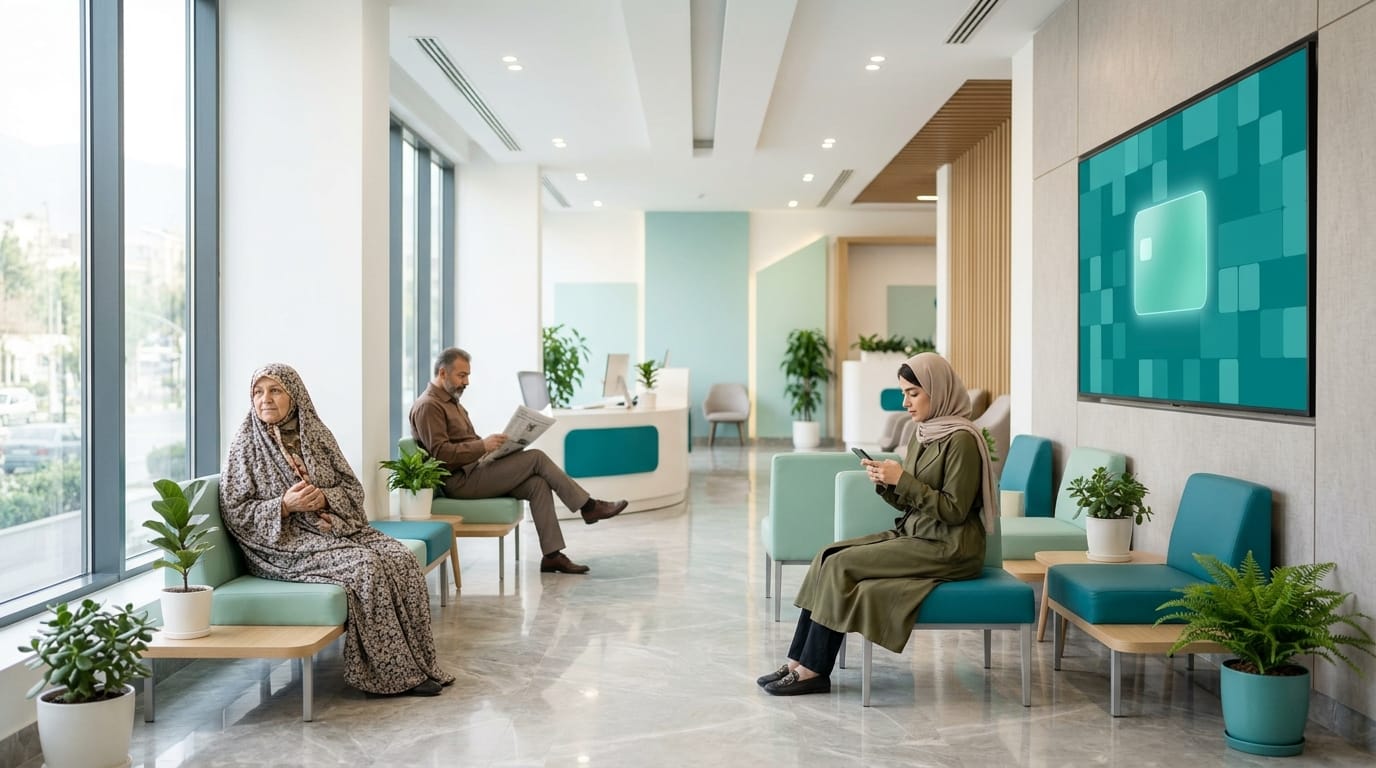
Patients experience the waiting room before they ever see the doctor. If they keep wondering "is it my turn yet?", if their name is shouted out along with the reason for their visit, or if they have to queue at the desk just to ask a simple question, part of their experience has soured — however good the care turns out to be. For most patients, not knowing is harder than the wait itself. A clinic queue display exists to take that uncertainty away.
This guide covers where queue control really starts, what belongs on the waiting-room screen and what doesn't, how spoken announcements should work, and why the wording of a call matters so much.
Where waiting rooms usually go wrong
- The receptionist is answering phones, admitting patients, taking payments and calling names, all at once.
- Patients hover by the doctor's door or the desk for fear of missing their turn.
- Names are called out loudly, sometimes together with the service.
- Older or hard-of-hearing patients miss the call, and their turn passes.
- Nobody knows which patient the doctor is seeing now or how far behind things are.
All of these are information problems, not capacity problems. The good news is that information is cheap to fix.
The queue starts at reception, not on the TV
The screen only shows what has happened in the system. If admitting and calling patients is disorganised, the TV will just display the same chaos in high definition. So fix the flow first:
- The patient is admitted and joins the queue for that practitioner or service.
- Reception, or the doctor, calls the patient to a specific room.
- If the patient needs to wait again for another service, they go back to the waiting queue.
- If a different practitioner should see them, the assigned practitioner changes without the patient losing their place.
In FaraERP all of this happens on the queue screen: call to a room, return to waiting, assign a practitioner. A doctor who can call the next patient from their own room no longer needs the receptionist running back and forth, and the receptionist can spend that time on admissions and the phone.
The queue display: what to show and what not to
The core rule is simple: the screen shows only what a patient needs to reach the right room — their name and the room. Everything else, from the service and the reason for the visit to national ID and phone number, has no place on a screen everyone can see.
A few practical points:
- One screen per branch. In FaraERP the TV account is locked to its own branch and shows only that branch's queue, so another branch's queue can never appear by mistake.
- Real-time updates. When a patient is called, the screen changes in that same moment. A display that lags by a few seconds loses patients' trust very quickly.
- Legible from a distance. Mount the screen where every seat can see it, and test it from the farthest chair before you go live.
- No visual clutter. If you show other content as well, it must never distract from the calls.
Spoken announcements: for people who aren't looking
Not everyone watches the TV. An elderly patient, someone absorbed in their phone, or a parent keeping an eye on a child all need a clear spoken call. In FaraERP every call is read aloud: AI on FaraERP's central service writes the sentence and voices it in a female or male voice. If that service can't be reached, the browser's own voice reads the sentence so the call is never silent.
On privacy, only three things are sent to build that sentence: the patient's name, their gender (so the form of address — Mr or Ms — is right) and the room. Not the service, not the doctor's name, and no other medical data leaves the clinic.
The wording of a call: small, but it matters
Everyone in the waiting room hears the call — the patient in for a routine check and the person anxious about an important result alike. So the tone has to be right for all of them:
- Nothing celebratory. Lines like "we're so happy to see you" or "have a great day!" don't belong in a medical clinic. Someone who arrived in pain or worried will find that tone jarring.
- No orders that sound like a telling-off. "Please wait" or "calm down", however well meant, can land as a reprimand on an anxious patient.
- Specialty-neutral. A sentence that works in a cardiology clinic should work in a dermatology clinic too; never refer to the condition or the service.
- Short and clear. Name, room and a courteous close are enough; "wishing you good health" suits everyone.
| Instead of this | Say this |
|---|---|
| "Next patient, come in!" | "Ms Rezaei, please make your way to room 2." |
| "Mr Mohammadi, it's time for your stress test." | "Mr Mohammadi, room 3 is ready for you." |
| "So happy to see you!" | "Wishing you good health." |
| "Please wait until we call you." | "Your name will be announced as soon as the room is ready." |
Privacy beyond the TV
- Angle the reception monitor so it can't be read from the waiting area.
- Ask sensitive questions — medical history, allergies — quietly, not in front of the queue.
- To find a patient's admission, use the admission code instead of reading out their name and national ID. FaraERP gives every admission a printable code.
- Text messages follow the same rule: day, time and clinic name, never a description of the service.
When delays happen
Every clinic runs late sometimes; what matters is that patients aren't left in the dark. When the doctor is further behind than usual, a staff member can let waiting patients know, politely, without promising an exact time that may not hold. Something like "thank you for your patience; we'll be with you shortly" is far better than silence.
If delays keep recurring, the root cause is usually the scheduling policy, not the waiting room. Revisit slot lengths and buffers; a queue display shows what is happening, it doesn't fix the schedule.
A setup checklist for your queue system
- Define rooms and treatment chairs with the same names patients see on the doors.
- Decide who calls patients: reception, the doctor, or both.
- Create a separate TV account for each branch.
- Test the announcement volume at the busiest hour, from the farthest seat.
- Review the call wording against the tone guidelines above.
- Give staff a short briefing: returning patients to waiting, changing practitioner, and how to handle delays.
An orderly waiting room lightens the load on reception and leaves patients feeling respected. Neither costs much, but both stay with the patient — and bring them back.
Frequently asked questions
What does the waiting-room TV show?
Only what a patient needs to reach the right room: their name and the room. The service, reason for visit, national ID and phone number never appear, and each TV account shows only its own branch's queue.
What is sent to the AI for spoken announcements?
Only the patient's name, their gender for the correct form of address, and the room. No service, no doctor's name and no other medical data is sent.
What happens if the AI voice service is unavailable?
The browser's own voice reads the call so it is never silent. FaraERP's panel is web-based, so the TV needs a network connection to the server for real-time updates.
Can doctors call the next patient themselves?
Yes. Calling to a room, returning a patient to waiting and changing the practitioner can all be done from the queue screen by reception or by the doctor.